
Introduction: What is Plex IPTV and Why It Matters
Plex IPTV represents a revolutionary approach to home entertainment, combining the robust media server capabilities of Plex with the extensive content offerings of Internet Protocol Television (IPTV). This powerful combination allows users to centralize their streaming experience, accessing live TV channels, on-demand content, and personal media libraries through a single, unified interface.
In today’s fragmented streaming landscape, where content is scattered across multiple platforms and services, Plex IPTV offers a compelling solution for cord-cutters and entertainment enthusiasts alike. By integrating IPTV services with Plex Media Server, users can create a comprehensive home entertainment hub that rivals traditional cable and satellite offerings while maintaining the flexibility and customization that modern viewers demand.
The popularity of Plex IPTV has surged dramatically in recent years, driven by increasing subscription costs for traditional cable services, the rise of cord-cutting culture, and the growing availability of high-quality IPTV content. This comprehensive guide will explore every aspect of Plex IPTV, from basic setup procedures to advanced configuration techniques, ensuring you can maximize your streaming experience.
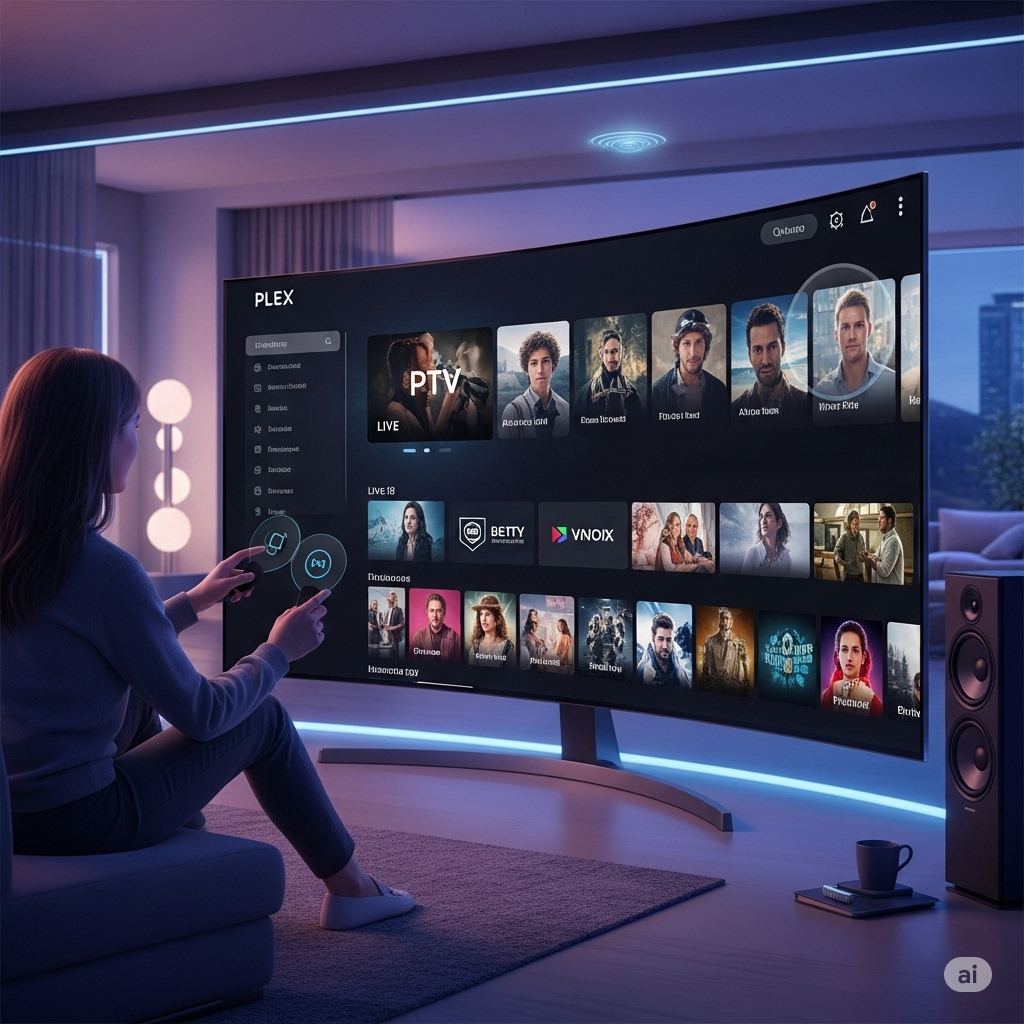
Understanding Plex: The Foundation of Your IPTV Experience
What is Plex Media Server?
Plex Media Server serves as the backbone of the entire Plex ecosystem, functioning as a centralized media hub that organizes, streams, and manages your digital content. Originally designed for personal media libraries, Plex has evolved into a comprehensive entertainment platform that supports various content sources, including IPTV streams.
The server automatically organizes your media files, downloads metadata, artwork, and subtitles, creating a polished, Netflix-like interface for your personal content. This same organizational prowess extends to IPTV content, where Plex can manage channel listings, electronic program guides (EPG), and recording schedules with remarkable efficiency.
Plex Client Applications
Plex’s strength lies in its universal compatibility across devices and platforms. The Plex client applications are available for virtually every modern device, including smart TVs, streaming devices, gaming consoles, mobile devices, and web browsers. This widespread compatibility ensures that your IPTV content is accessible wherever you are, whether you’re at home on your living room TV or traveling with your smartphone.
The consistent user interface across all platforms means users can seamlessly transition between devices without learning new navigation schemes or losing functionality. This uniformity is particularly valuable for IPTV viewing, where users may want to start watching a program on their TV and continue on their mobile device.
IPTV Fundamentals: Understanding the Technology
What is IPTV?
Internet Protocol Television (IPTV) delivers television content over internet networks rather than traditional terrestrial, satellite, or cable television formats. This technology enables real-time streaming of live TV channels, video-on-demand content, and interactive services through broadband internet connections.
Unlike traditional streaming services that rely on HTTP protocols, IPTV typically uses specialized protocols like RTMP, HLS, or UDP multicast to deliver content efficiently. This technical approach allows for features like live TV streaming, time-shifting capabilities, and interactive program guides that closely mirror traditional television experiences.
Types of IPTV Services
The IPTV landscape encompasses several distinct service categories, each offering different content types and viewing experiences. Live IPTV services focus on real-time broadcast content, including news, sports, and entertainment channels from around the world. Video-on-demand (VOD) services provide extensive libraries of movies, TV shows, and documentaries that can be accessed at any time.
Time-shifted IPTV services allow viewers to watch previously aired content within a specific timeframe, often called “catch-up TV.” This functionality bridges the gap between live television and on-demand content, providing flexibility for viewers who miss their favorite programs.
Interactive IPTV services incorporate two-way communication capabilities, enabling features like video calling, gaming, and social media integration alongside traditional television content. These services represent the cutting edge of IPTV technology and demonstrate the platform’s potential for innovation.
Setting Up Plex IPTV: Step-by-Step Configuration
Prerequisites and System Requirements
Before diving into Plex IPTV setup, ensure your system meets the necessary requirements for optimal performance. A reliable internet connection with sufficient bandwidth is crucial, as IPTV streaming can be bandwidth-intensive, especially for high-definition content. Most IPTV services recommend at least 10 Mbps for HD streaming and 25 Mbps for 4K content.
Your Plex Media Server should run on hardware capable of handling transcoding tasks, as IPTV streams may require format conversion for different client devices. Modern multi-core processors with hardware acceleration capabilities will provide the best performance for simultaneous streaming to multiple devices.
Storage considerations are also important, particularly if you plan to use Plex’s DVR functionality with your IPTV setup. Recording live television requires substantial storage space, and solid-state drives (SSDs) offer better performance for simultaneous recording and playback operations.
Installing Plex Media Server
The Plex Media Server installation process varies depending on your operating system, but the general procedure remains consistent across platforms. Download the appropriate installer from the official Plex website, ensuring you select the correct version for your operating system and hardware architecture.
During installation, you’ll create a Plex account and claim your server, linking it to your online Plex identity. This process enables remote access capabilities and synchronizes your server settings across devices. The initial setup wizard guides you through basic configuration options, including library creation and network settings.
After installation, access your Plex Media Server through the web interface at localhost:32400/web. This dashboard provides comprehensive control over your server settings, library management, and advanced features like IPTV integration.
Configuring IPTV in Plex
Plex’s IPTV functionality is accessed through the Live TV & DVR section of the server settings. This feature requires a Plex Pass subscription for full functionality, including DVR capabilities and premium channel guide data. The setup process begins with adding your IPTV provider’s M3U playlist URL and EPG (Electronic Program Guide) source.
M3U playlists contain channel information and stream URLs that Plex uses to populate your channel lineup. Most IPTV providers supply these playlists in a standardized format that Plex can automatically parse and organize. The EPG source provides program schedule information, enabling features like the program guide, series recording, and metadata enrichment.
During channel setup, you can customize your channel lineup by hiding unwanted channels, creating custom channel numbers, and organizing channels into logical groups. This customization ensures your IPTV experience aligns with your viewing preferences and eliminates clutter from unused channels.
Plex Pass: Unlocking Premium IPTV Features
Essential Plex Pass Features for IPTV
Plex Pass subscription unlocks advanced features that significantly enhance the IPTV experience. The Live TV & DVR functionality is the cornerstone of Plex IPTV, providing comprehensive television viewing and recording capabilities that rival traditional cable DVR systems.
Hardware transcoding acceleration reduces server load and improves streaming performance, particularly important for IPTV content that may require format conversion. This feature utilizes dedicated hardware encoders in modern processors and graphics cards to efficiently handle multiple simultaneous streams.
Mobile sync capabilities allow offline viewing of recorded content, extending your IPTV experience beyond internet connectivity. This feature is particularly valuable for travelers or users with limited internet access who want to enjoy their recorded programs anywhere.
DVR Functionality and Recording Management
Plex’s DVR system transforms your IPTV setup into a powerful recording solution that can capture and store live television content. The recording scheduler integrates with EPG data to enable intelligent recording decisions, including series recording, conflict resolution, and automatic commercial skip markers.
Storage management features help optimize disk usage by automatically removing old recordings based on configurable retention policies. These policies can be customized per show or channel, ensuring important content is preserved while managing storage consumption effectively.
The recording quality settings allow you to balance file size and video quality based on your storage capacity and viewing preferences. Options range from broadcast quality recording to compressed formats suitable for mobile viewing, providing flexibility for different use cases.

M3U Playlists: The Heart of IPTV Integration
Understanding M3U Format
M3U playlists serve as the foundation of IPTV integration, providing structured information about available channels and their streaming sources. These text-based files contain channel names, stream URLs, logos, and metadata that Plex uses to construct your channel lineup.
The M3U format supports extended attributes that enhance the viewing experience, including channel groups, EPG identifiers, and custom logos. These attributes enable Plex to create a polished, professional-looking channel guide that rivals traditional television interfaces.
Advanced M3U features include time-shifting capabilities, catch-up television links, and multiple quality streams for individual channels. These features extend the basic streaming functionality to provide a more comprehensive television experience.
Obtaining and Managing M3U Playlists
IPTV providers typically distribute M3U playlists through secure URLs that include authentication tokens and user-specific information. These URLs must be kept confidential to prevent unauthorized access to your IPTV service subscription.
Regular playlist updates ensure your channel lineup remains current as providers add new channels or modify existing ones. Many IPTV services automatically update playlists, but manual refresh options allow you to force updates when needed.
Playlist validation tools help identify and resolve common issues like broken stream URLs, missing metadata, or formatting errors. These tools are essential for maintaining a stable IPTV experience and quickly resolving playback problems.
Electronic Program Guide (EPG): Enhanced Viewing Experience
Importance of EPG in IPTV
Electronic Program Guide (EPG) data transforms basic IPTV streams into a full-featured television experience by providing detailed program information, schedules, and metadata. This information enables advanced features like series recording, program search, and personalized recommendations.
EPG data includes program titles, descriptions, cast information, genres, and ratings that help viewers discover new content and make informed viewing decisions. The integration of this data with Plex’s interface creates a seamless, intuitive browsing experience.
Time-shifting capabilities rely heavily on EPG accuracy to determine program boundaries and enable features like automatic commercial detection. High-quality EPG data ensures these features work reliably and provide the expected user experience.
EPG Sources and Configuration
Multiple EPG sources are available for IPTV services, ranging from provider-supplied guides to third-party aggregation services. The choice of EPG source can significantly impact the quality and completeness of your program guide information.
XMLTV format is the most common EPG standard, providing structured program data that Plex can efficiently parse and integrate. Many IPTV providers offer XMLTV-formatted EPG feeds that automatically synchronize with their channel lineups.
EPG update scheduling ensures your program guide remains current without manual intervention. Configurable update intervals balance data freshness with server resource usage, allowing you to optimize performance based on your viewing patterns.
Optimizing Plex IPTV Performance
Network Configuration and Bandwidth Management
Network optimization is crucial for reliable IPTV performance, particularly when streaming high-definition content to multiple devices simultaneously. Quality of Service (QoS) configuration can prioritize IPTV traffic over other network activities, ensuring consistent streaming performance.
Bandwidth allocation should account for multiple simultaneous streams, transcoding overhead, and other network usage. Conservative estimates suggest allocating 50% more bandwidth than the theoretical minimum to accommodate network fluctuations and overhead.
Content delivery network (CDN) integration can improve streaming performance by routing traffic through geographically optimized servers. Many IPTV providers offer multiple server locations to reduce latency and improve reliability.
Hardware Acceleration and Transcoding
Hardware acceleration significantly reduces server load and improves streaming performance by offloading video processing tasks to dedicated hardware. Modern processors and graphics cards include specialized encoders that can handle multiple simultaneous transcoding tasks efficiently.
Transcoding settings should be optimized for your specific hardware configuration and client device capabilities. Aggressive transcoding can reduce bandwidth requirements but may impact video quality, while minimal transcoding preserves quality at the cost of increased bandwidth usage.
GPU acceleration provides the best performance for high-resolution content and multiple simultaneous streams. NVIDIA and AMD graphics cards offer excellent transcoding performance, while Intel processors include capable integrated graphics solutions.
Troubleshooting Common Plex IPTV Issues
Stream Quality and Buffering Problems
Buffering issues are among the most common problems encountered with Plex IPTV setups. These problems typically stem from insufficient bandwidth, network congestion, or server performance limitations. Systematic troubleshooting begins with bandwidth testing to verify your connection meets the requirements for your desired streaming quality.
Server performance monitoring helps identify bottlenecks that may cause buffering or playback interruptions. CPU usage, memory consumption, and disk I/O statistics provide insights into server health and performance limitations.
Client-side optimization includes adjusting playback settings, clearing cache files, and ensuring client applications are updated to the latest versions. These simple steps often resolve playback issues without requiring server-side modifications.
Authentication and Access Issues
Authentication problems can prevent access to IPTV content, even when credentials are correct. These issues often result from provider-side changes, expired tokens, or network configuration problems that block authentication requests.
VPN compatibility issues may arise when IPTV providers restrict access based on geographic location. Choosing VPN servers in supported regions and ensuring stable connections can resolve these access problems.
Firewall and router configuration may block IPTV traffic, particularly on networks with strict security policies. Port forwarding and firewall exceptions may be necessary to ensure reliable IPTV access.
Channel Loading and EPG Synchronization
Channel loading problems can result from malformed M3U playlists, network connectivity issues, or server-side problems. Validating playlist format and testing individual stream URLs helps identify and resolve these issues.
EPG synchronization problems prevent accurate program guide information from displaying, impacting the overall viewing experience. Verifying EPG source URLs and update schedules ensures program guide data remains current and accurate.
Cache corruption can cause persistent channel loading or EPG problems. Clearing Plex’s cache files and forcing data refresh often resolves these issues without requiring complete reconfiguration.
Legal Considerations and Best Practices
Understanding IPTV Legality
The legal landscape surrounding IPTV varies significantly by jurisdiction and service provider. Legitimate IPTV services operate under proper licensing agreements and comply with copyright laws, while unauthorized services may distribute content without appropriate permissions.
Due diligence is essential when selecting IPTV providers, as using unauthorized services can expose users to legal risks. Researching provider legitimacy, reading terms of service, and understanding content licensing helps ensure compliance with applicable laws.
Geographic restrictions may apply to certain IPTV content, limiting access based on user location. Understanding these restrictions and complying with terms of service helps avoid potential legal issues.
Privacy and Security Considerations
IPTV services collect substantial amounts of user data, including viewing habits, device information, and network details. Understanding privacy policies and implementing appropriate security measures protects personal information and viewing privacy.
VPN usage can enhance privacy and security when accessing IPTV content, particularly on public networks or when geographic restrictions apply. Choosing reputable VPN providers with strong encryption and no-logging policies ensures maximum privacy protection.
Secure authentication practices, including strong passwords and two-factor authentication where available, protect IPTV accounts from unauthorized access. Regular password updates and account monitoring help maintain security over time.
Advanced Plex IPTV Features and Customization
Custom Channel Creation and Management
Advanced users can create custom channels and modify existing channel lineups to optimize their IPTV experience. This customization includes creating channel groups, modifying channel numbers, and adding custom logos or artwork.
Channel filtering and sorting options help organize large channel lineups into manageable categories. These features are particularly valuable for international IPTV services that may include hundreds of channels across multiple languages and regions.
Parental controls and content filtering ensure appropriate content access for different family members. These features can restrict access to specific channels or content ratings, providing peace of mind for families with children.
Integration with Home Automation Systems
Plex IPTV can integrate with home automation systems to create sophisticated entertainment experiences. Voice control integration allows users to change channels, search for content, and control playback using voice commands.
Smart home integration enables automated responses to IPTV events, such as dimming lights when playback begins or adjusting room temperature based on viewing schedules. These integrations enhance the overall entertainment experience and provide convenience for users.
API integration allows custom applications and scripts to interact with Plex IPTV, enabling unique automation and customization possibilities. These integrations can extend Plex’s functionality beyond standard features.
Alternative IPTV Solutions and Comparisons
Comparing Plex IPTV with Other Platforms
While Plex offers excellent Plex IPTV integration, several alternative platforms provide similar functionality with different strengths and limitations. Kodi, for example, offers extensive customization options and add-on support but requires more technical expertise to configure and maintain.
Emby provides similar media server functionality to Plex with built-in Plex IPTV support, offering an alternative for users who prefer different interface designs or licensing models. Jellyfin, the open-source fork of Emby, provides similar functionality without subscription requirements.
Dedicated IPTV applications like TiviMate or IPTV Smarters offer specialized interfaces designed specifically for Plex IPTV viewing but lack the comprehensive media management features of Plex. These applications may be more suitable for users who primarily consume IPTV content.
Hybrid Approaches and Multi-Platform Strategies
Many users adopt hybrid approaches that combine multiple platforms to maximize their entertainment options. This strategy might involve using Plex for personal media and recording while utilizing specialized IPTV applications for live viewing.
Content aggregation services can combine multiple Plex IPTV sources into unified channel lineups, providing access to diverse content from various providers. These services often include advanced features like automatic failover and quality optimization.
Cloud-based Plex IPTV solutions offer scalability and reliability advantages but may have higher ongoing costs compared to self-hosted solutions. Evaluating the total cost of ownership helps determine the most cost-effective approach for individual users.
Future of Plex IPTV Technology
Emerging Trends and Technologies
The Plex IPTV landscape continues evolving with new technologies and standards that promise to enhance the viewing experience. 4K and HDR content support is becoming increasingly important as display technology advances and content providers expand their high-resolution offerings.
Artificial intelligence and machine learning integration will enable more sophisticated content recommendation systems, automatic content categorization, and intelligent recording decisions. These technologies will help users discover new content and optimize their viewing experiences.
Cloud DVR services are expanding, offering virtually unlimited recording capacity and advanced features like automatic commercial skip and content enhancement. These services may eventually replace local recording hardware for many users.
Plex Development Roadmap
Plex continues developing new features and improvements for their Plex IPTV platform, including enhanced EPG integration, improved transcoding performance, and expanded device compatibility. Regular updates ensure the platform remains competitive and addresses user feedback.
Community-driven development through plugins and extensions allows users to customize their Plex IPTV experience beyond standard features. This ecosystem of third-party additions extends Plex’s functionality and addresses niche use cases.
Enterprise features are expanding to support commercial installations and larger deployments, including advanced user management, content distribution, and monitoring capabilities. These features may benefit power users and small businesses.

Conclusion: Maximizing Your Plex IPTV Experience
Plex IPTV represents a powerful solution for modern entertainment consumption, combining the flexibility of streaming technology with the familiarity of traditional television. By understanding the fundamental concepts, implementing proper configuration, and following best practices, users can create sophisticated entertainment systems that rival commercial offerings.
The key to success with Plex IPTV lies in careful planning, proper hardware selection, and ongoing optimization. Taking time to understand your specific requirements, choosing appropriate Plex IPTV providers, and implementing robust network infrastructure ensures a stable, enjoyable viewing experience.
As technology continues evolving, Plex IPTV will likely incorporate new features and capabilities that further enhance the user experience. Staying informed about developments in both Plex and Plex IPTV technologies helps users make informed decisions and maximize their entertainment investments.
The future of home entertainment increasingly points toward integrated, customizable solutions that put users in control of their viewing experiences. Plex IPTV embodies this vision, providing the tools and flexibility needed to create personalized entertainment systems that adapt to individual preferences and requirements.
Whether you’re a cord-cutter looking to replace traditional cable television or an enthusiast seeking to optimize your entertainment setup, Plex IPTV offers a compelling solution that combines the best aspects of modern streaming technology with the comprehensive features of traditional television services. With proper setup and configuration, Plex IPTV can transform your home entertainment experience and provide years of reliable, enjoyable viewing.